Disclaimer: As an Amazon Associate I earn from qualifying purchases.
Finding the best monitor light bars for eye strain shouldn’t mean settling for harsh overhead ceiling fixtures that wash out your screen or bulky swing-arm lamps that crowd your primary work surface. When you spend hours reading, coding, or editing spreadsheets after sunset, traditional desk lamps scatter uncontrolled light directly across your monitor glass, forcing your eyes to constantly squint through washed-out reflections and harsh contrast ratios. Worse still, heavy weighted lamp bases eat up valuable desktop real estate and create tangled cord clutter right beside your keyboard and mouse.
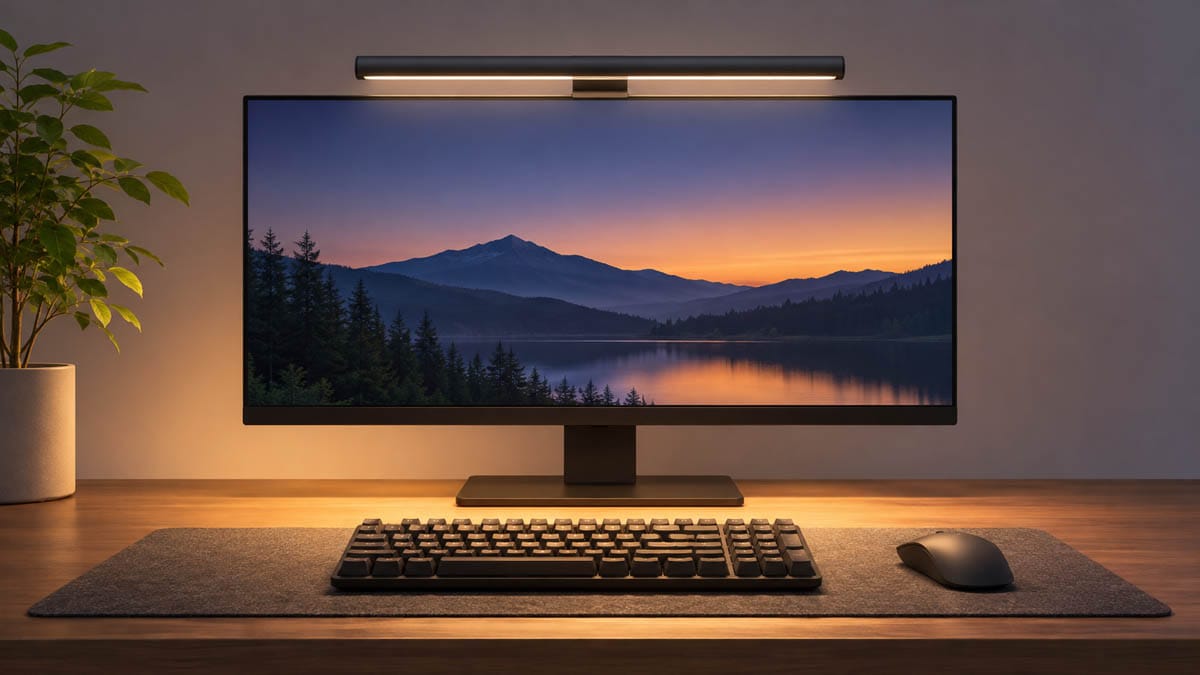
Fortunately, modern asymmetrical monitor light bars clamp securely onto the top bezel of your display and project a precision 18-degree beam strictly onto your desktop without touching your screen. Pairing a glare-free screen light with Best Ergonomic Desk Lamps for Eye Strain (Anti-Glare) or upgrading your ambient task lighting lets you maintain ANSI-recommended 500-lux illumination across your entire work zone while keeping zero hardware on your tabletop. Below, we compare three flicker-free, space-saving monitor light bars engineered to eliminate screen glare and keep your eyes comfortable during marathon workdays.
- Best Overall Backlit Monitor Light Bar: BenQ ScreenBar Halo 2 – [Check Price on Amazon]
- Best Compact Budget Auto-Dimming Light Bar: Quntis Computer Monitor Lamp – [Check Price on Amazon]
- Best Ultrawide Motion-Sensing Light Bar: BenQ ScreenBar Pro – [Check Price on Amazon]
Best Monitor Light Bars for Eye Strain: BenQ ScreenBar Halo 2 LED Monitor Light Bar
This flagship dual-zone monitor lamp delivers comprehensive glare-free illumination for professionals who frequently work late at night or in dimly lit rooms. Featuring BenQ’s 3rd-generation ASYM-Light optical system, the precision 18-degree cut-off angle projects 500 lux of flicker-free, high-CRI (>95) light across your desktop while eliminating screen reflections. Its patented tri-zone rear backlight expands ambient wall coverage to soften harsh screen-to-room contrast, and the angled wireless rotary dial lets you fine-tune brightness and color temperature (2700K–6500K) with a built-in digital readout and automatic ultrasonic presence detection.
- The Good: Combines an 18-degree anti-glare front beam with a wide ambient rear backlight, includes an intuitive wireless rotary controller with a digital display, and automatically powers on or off via an ultrasonic presence sensor.
- The Bad: Carries a significantly higher price tag than standard single-beam light bars and requires a small patch of desktop space to house the wireless controller dial.
👉 [Check Live Price on Amazon for BenQ ScreenBar Halo 2 LED Monitor Light Bar]
Best Monitor Light Bars for Eye Strain: Quntis Computer Monitor Lamp
If you want certified eye-care illumination without spending a fortune or adding extra dials to your desk, this streamlined aluminum light bar offers unbeatable everyday value. Equipped with 78 high-CRI (Ra98) LED beads and an asymmetrical optical lens, it directs uniform, blue-light-safe illumination across your keyboard and documents with zero glare on your monitor glass. A built-in ambient light sensor continuously measures room brightness to auto-adjust output up to 900 lux, while integrated touch buttons on the bar itself provide stepless dimming and color temperature tuning from 3000K to 6500K.
- The Good: Delivers exceptional value with a built-in ambient light auto-dimming sensor, ultra-high Ra98 color accuracy, and integrated touch controls that leave your desk surface completely clutter-free.
- The Bad: Lacks a rear ambient backlight for dark-room contrast relief, and its weighted clip is best suited for standard flat monitors rather than heavily curved displays.
👉 [Check Live Price on Amazon for Quntis Computer Monitor Lamp]
Best Monitor Light Bars for Eye Strain: BenQ ScreenBar Pro LED Monitor Light Bar
Engineered for large workstations, curved gaming displays, and ultrawide monitors, this heavy-duty light bar projects over 1,000 lux of central brightness across an expansive 33.5 by 19.7-inch desk footprint. Its patented rubber-sawtooth counterweight clamp grips monitors from 0.17 to 2.56 inches thick—including 1000R to 1800R curved panels—without scratching delicate bezels or blocking your webcam lens. Integrated touch controls on the lamp head let you cycle through 16 brightness levels and 8 color temperatures, while real-time auto-dimming and a conical ultrasonic motion sensor keep your lighting dialed in hands-free.
- The Good: Offers massive ultrawide desktop coverage, industry-leading clamp compatibility for thick and curved monitors without blocking webcams, and hands-free ultrasonic motion sensing.
- The Bad: Does not include a rear wall backlight for dark-room bias lighting and omits the separate wireless desktop controller found on the Halo 2 model.
👉 [Check Live Price on Amazon for BenQ ScreenBar Pro LED Monitor Light Bar]
Which One of These Monitor Light Bars for Eye Strain Should You Choose?
Selecting your ideal depends heavily on your room’s ambient lighting, your display’s thickness or curvature, and how you prefer to control your desk setup. Remote workers and late-night creators who frequently work in dimly lit rooms and want dual-zone front and rear bias lighting alongside a tactile wireless desktop controller should select the BenQ ScreenBar Halo 2 LED Monitor Light Bar. However, if you use a standard flat monitor and want certified flicker-free, auto-dimming illumination with integrated on-bar touch controls on a tight budget, the Quntis Computer Monitor Lamp delivers exceptional everyday value.
For power users, developers, or ultrawide monitor owners who want expansive desktop coverage and heavy-duty clamp compatibility without adding extra wireless dials to their tabletop, the ultrawide upgrade is the clear winner. The BenQ ScreenBar Pro LED Monitor Light Bar provides over 1,000 lux of asymmetrical illumination across a 33.5 by 19.7-inch footprint, a patented rubber-sawtooth clamp for thick or curved screens up to 2.56 inches, and hands-free ultrasonic motion detection. Measure your monitor’s top bezel thickness, consider whether you work in a dark room, and select the glare-free light bar that best protects your eyes during long sessions.
Explore More Expert Buying Guides
Optimizing your daily living space does not stop at upgrading your best monitor light bars for eye strain. Explore our deep, independent product review directories to upgrade the rest of your daily environment: